

December 3, 2025
A complete guide to search tools in Neuro SAN

A complete guide to search tools in Neuro SAN
A break down of each search option available in Neuro SAN and when to use them
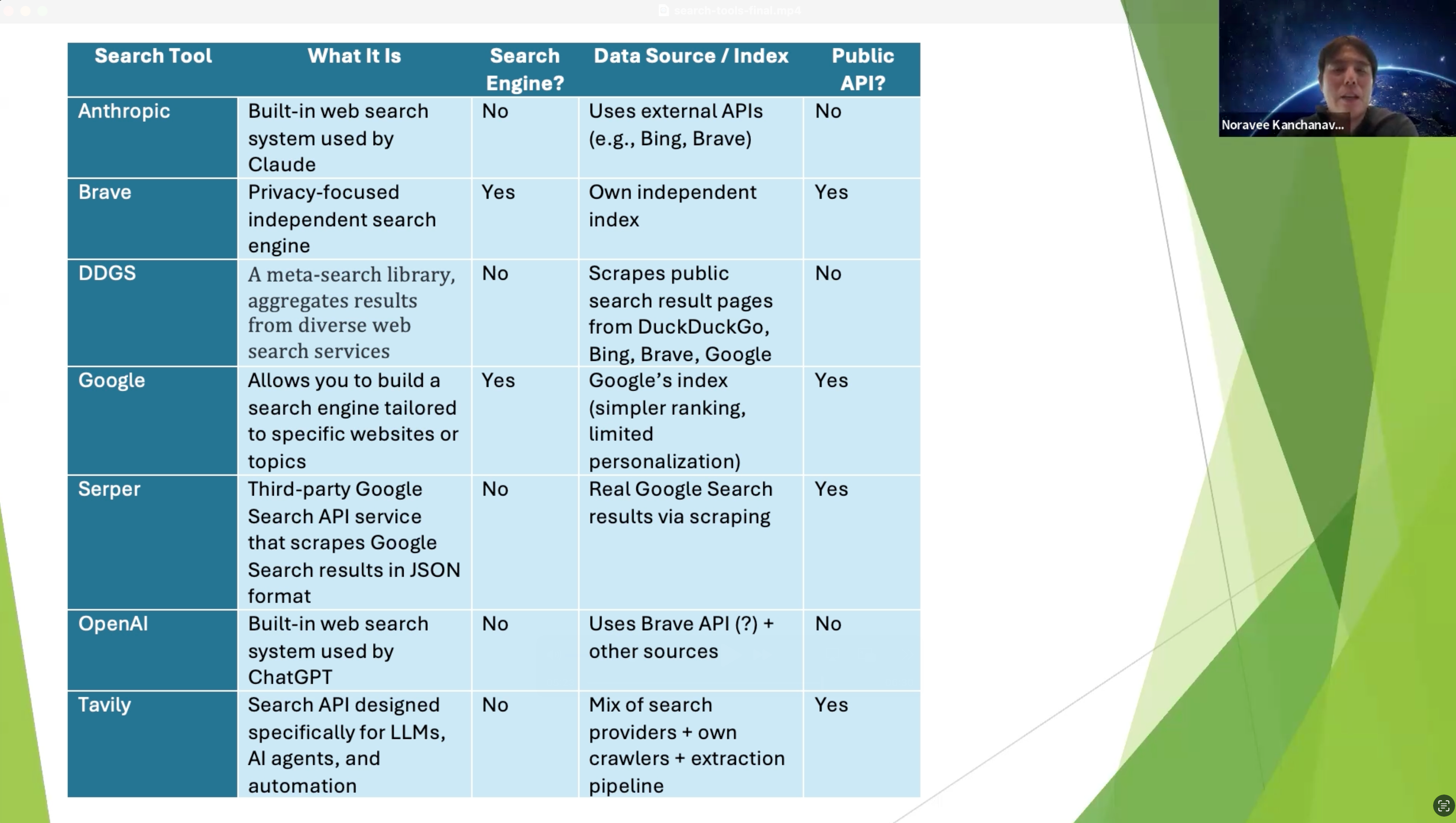
Search tools in Neuro SAN act as bridges between AI agents and live web data, enabling intelligent, up-to-date decision-making within multi-agent networks. These tools connect agents to external search engines like Google, Brave, and LLM-optimized APIs such as Tavily and Serper. Each search integration brings distinct advantages, giving developers the flexibility to build agent networks tailored to specific data access needs.
Neuro SAN currently supports the following search tools:
- anthropic_search — Web search via Anthropic's search tool
- brave_search — Search using Brave Search API
- ddgs_search — Search using Dux Distributed Global Search (no API key required)
- google_search — Search using Google Custom Search Engine
- google_serper — Search using Google Serper API with advanced filtering
- openai_search — Web search via OpenAI's search tool
- tavily_search — AI-optimized search using Tavily API
In this post, we walk through the search engines currently supported in Neuro SAN and offer a side-by-side comparison to help developers select the right tool for their use case.
Anthropic Search
Anthropic Search is the built-in web search system used by Claude, designed to let the model access fresh, real-time information from the internet in a safe, transparent way. It is not a standalone public product (like Google or Bing). Instead, it is a search layer integrated into Claude, combining multiple web search APIs (depending on partnership and availability. E.g., Brave).
Environment Variables
Get an API key by visiting Claude console (https://console.anthropic.com/settings/keys). Once you have the API key, set it using the ANTHROPIC_API_KEY environment variable. You must also have langchain-anthropic>=0.3.13 installed in your virtual environment.
Example Agent Networks in Neuro San Studio: anthropic_web_search.hocon, available as a tool in toolbox_info.hocon
Brave Search
Brave Search is an independent, privacy-focused search engine developed by Brave Software, Inc., that uses its own web index rather than relying on Google or Bing. It does not profile users, meaning it does not collect or store personal data to track activity.
Environment Variables
To use Brave Search in your agent network, you must obtain an API key from https://brave.com/search/api/
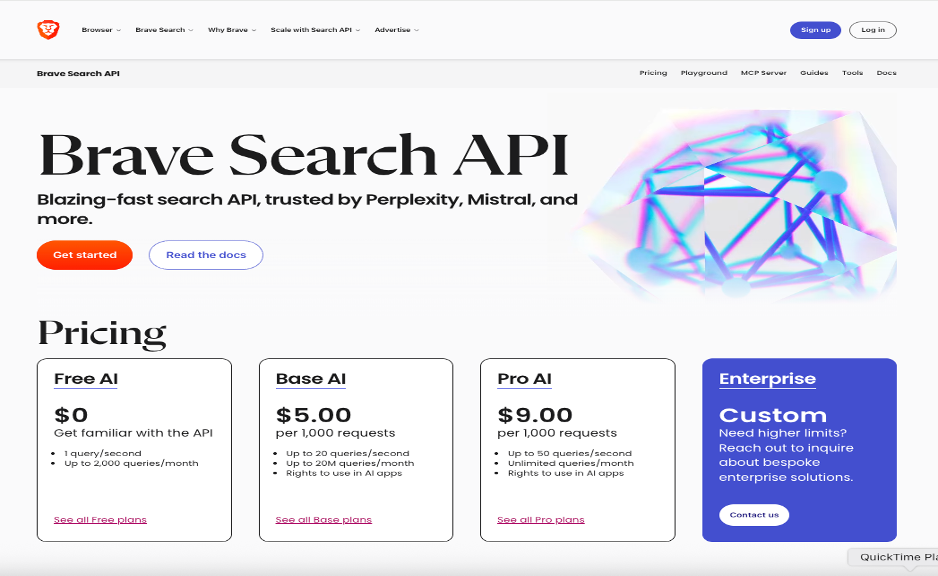
Once you have the API key, set it using the BRAVE_API_KEY environment variable. The Brave search URL is specified via BRAVE_URL environment variable. If BRAVE_URL is not set, the default value listed below is used:
https://api.search.brave.com/res/v1/web/search?q=
Optionally, you can override the default value by setting BRAVE_URL environment variable (E.g., if you're running a self-hosted Brave Search API clone, or if you want to Switch to a different search engine, like DuckDuckGo)
You can also configure the request timeout (in seconds) using BRAVE_TIMEOUT; the default is 30 seconds.
Example Agent Networks in Neuro San Studio: brave_search.hocon, real_estate.hocon, available as a tool in toolbox_info.hocon
Dux Distributed Global Search (DDGS)
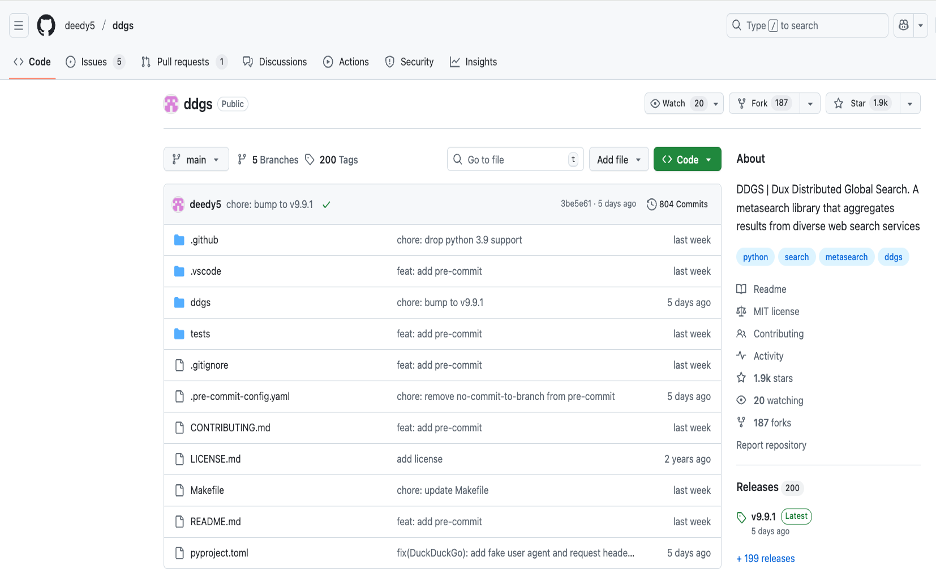
Dux Distributed Global Search (DDGS) is a Python open-source library that acts as a metasearch tool, aggregating and ranking search results from multiple web search engines, like Google and Brave, to provide a diverse set of results. It was originally called duckduckgo_search but was expanded to support a variety of search backends.
DDGS requires no API key, even though it may search Brave or Google. That is because DDGS scrapes public search result pages and avoids official API endpoints (which require keys). For example, no Google API key needed, because it does not call
https://customsearch.googleapis.com/
Instead, it scrapes:
https://www.google.com/search?q=<query>
Example Agent Networks in Neuro San Studio: ddgs_search.hocon, agent_netowork_designer.hocon, agentic_rag.hocon, airbnb.hocon, booking.hocon, carmax.hocon, expedia.hocon, LinkedInJobSeekerSupportNetwork.hocon, available as a tool in toolbox_info.hocon
Google Custom Search Engine
Google Custom Search Engine (CSE) -- now called Programmable Search Engine -- is a service from Google that lets you create your own search engine that searches only specific sites, or a controlled slice of the web, with optional customization and API access. It’s commonly used in websites, apps, and research tools.
Environment Variables
To use this search tool, you must
1. Create a Custom Search Engine (CSE)
- Go to https://programmablesearchengine.google.com/
- Click "Add" → Choose sites or use "*" to search the whole web
- Note your Search Engine ID (cx).
2. Get Google API key
- Go to: https://console.cloud.google.com/
- Enable the Custom Search API.
- Create an API key under APIs & Services > Credentials.
3. Use the CSE ID in step 1 to set GOOGLE_SEARCH_CSE_ID environment variable.
4. Use the API key in step 2 to set GOOGLE_SEARCH_API_KEY environment variable.
5. You can optionally set a custom search URL and a custom timeout via the GOOGLE_SEARCH_URL and GOOGLE_SEARCH_TIMEOUT environment variables. Otherwise, the default values of "https://www.googleapis.com/customsearch/v1" and "30" are used, respectively.
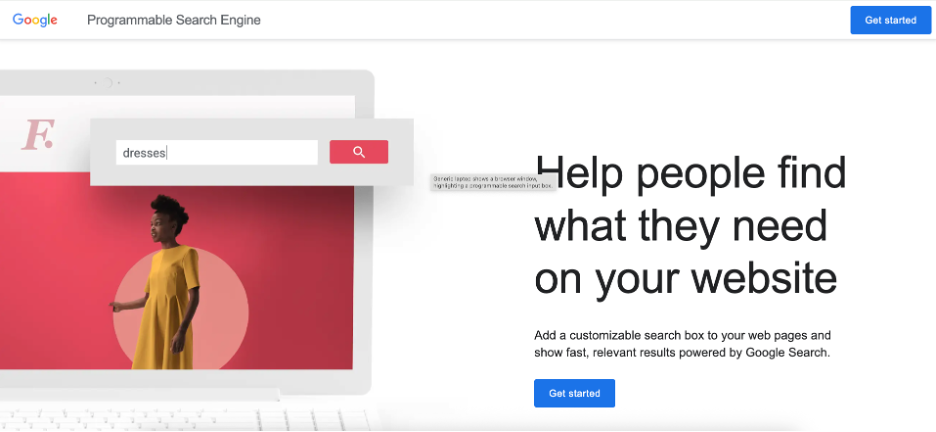
Example Agent Networks in Neuro San Studio: google_search.hocon, available as a tool in toolbox_info.hocon
Google Serper
Google Serper (serper.dev) is a third-party Google Search API service that gives developers programmatic access to real Google Search results in JSON format. It exists because Google does NOT provide an official full-web Search API, and scraping Google yourself is difficult, unstable, and often blocked. Serper solves that by doing the scraping on your behalf and returning clean, structured results
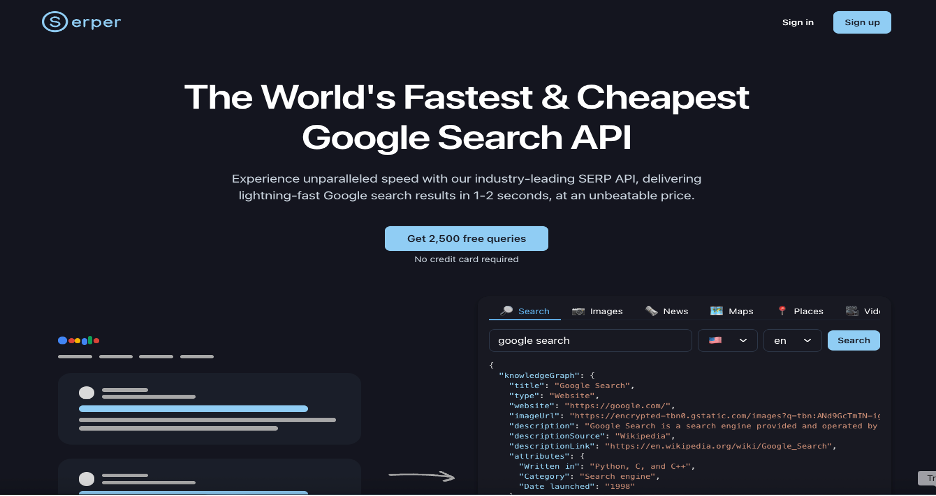
Environment Variables
To use this search tool, obtain an API key from: https://serper.dev/. Once you have the API key, set it using the SERPER_API_KEY environment variable.
Example Agent Networks in Neuro San Studio: available as a tool in toolbox_info.hocon
OpenAI Search
OpenAI Search is the built-in web search system used by ChatGPT. It is not a standalone search engine like Google/Bing, nor a public “OpenAI Search API”. It is an internal retrieval system that lets ChatGPT access fresh, real-time information from the internet when you ask it to “search the web”. It’s not publicly confirmed exactly which underlying search engine OpenAI uses for all of its web-search features.
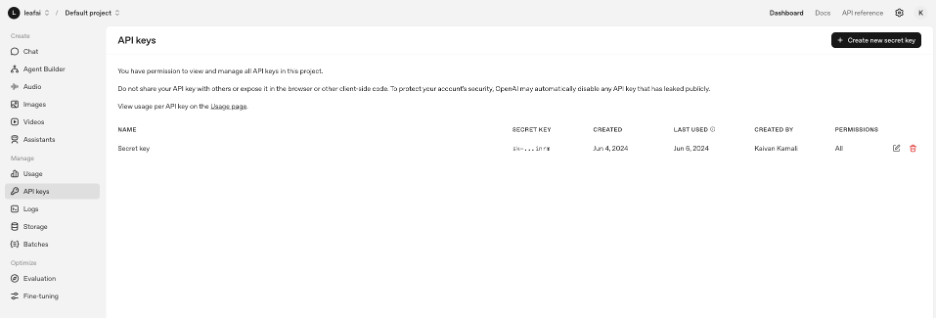
Environment Variables
To use this search tool, obtain an API key from: https://platform.openai.com/api-keys. Once you have the API key, set it using the OPENAI_API_KEY environment variable. You must also have langchain-openai >= 0.3.26 installed in your virtual environment.
Example Agent Networks in Neuro San Studio: openai_web_search.hocon, available as a tool in toolbox_info.hocon
Tavily Search
Tavily Search is a developer-focused search API designed specifically for LLMs, AI agents, and automation. It is not a traditional search engine like Google or Bing; instead, it is a purpose-built retrieval system optimized for fast, cheap, reliable, LLM-friendly search. It’s one of the most popular search solutions in the AI ecosystem (used in LangChain, LlamaIndex, etc.).
Environment Variables
To use this search tool, obtain an API key from: https://www.tavily.com/. Once you have the API key, set it using the TAVILY_API_KEY environment variable. You must also have langchain-tavily installed in your virtual environment.
Example Agent Networks in Neuro San Studio: available as a tool in toolbox_info.hocon
Comparison of Search Tools
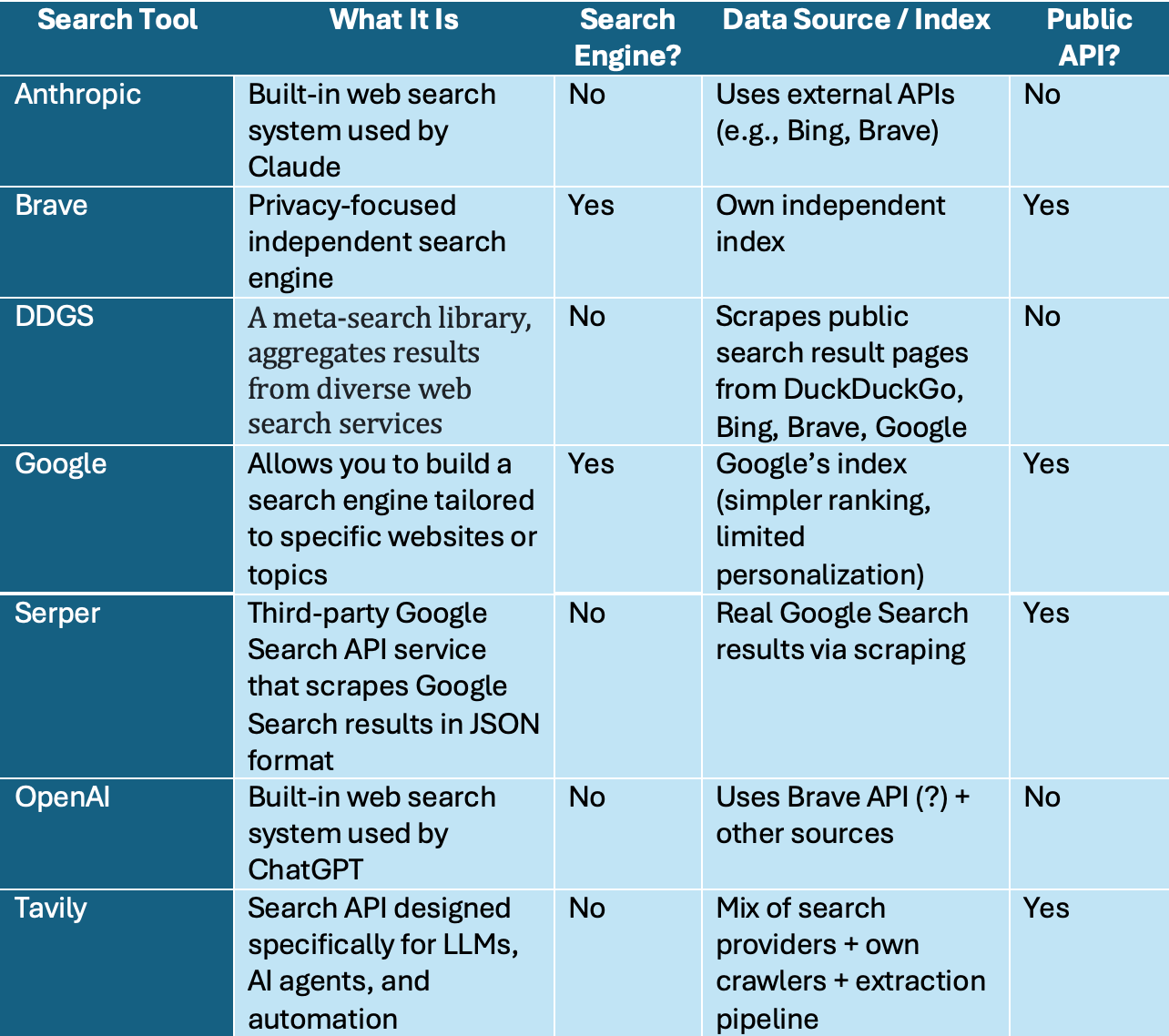
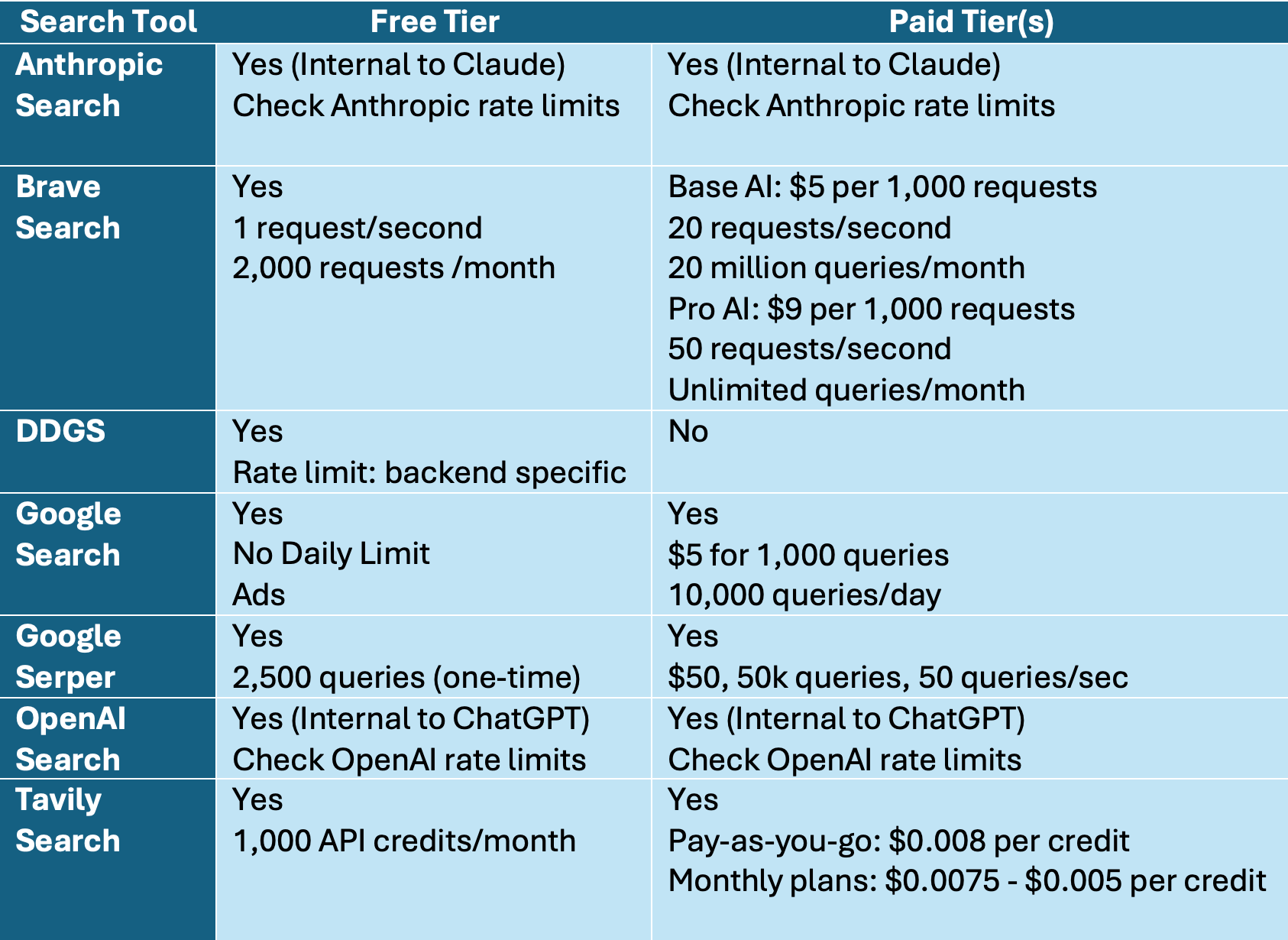
Below please find links for cost and rate limit comparison data:
1. Brave Search
The search tools available in Neuro SAN offer flexible options for integrating real-time web data into AI agent workflows. Whether the goal is broad web access, privacy, cost control, or LLM-optimized retrieval, developers can choose from a range of tools based on their technical and operational needs. As the framework continues to evolve, these integrations will remain essential for enabling data-aware, responsive agent networks.

Kaivan Kamali is an expert in AI and machine learning, with proficiency in all stages of software development lifecycle.