

September 1, 2026
Introducing the Caesar Demo: An Open-Source AI Research Agent Built for Discovery

Introducing the Caesar Demo: An Open-Source AI Research Agent Built for Discovery
Try the live demo and explore the open-source code behind Caesar, an autonomous AI research agent designed to move beyond retrieval toward deeper exploration, creative synthesis, and discovery.
Most AI research agents are very good at finding information. Give them a question, and they can search the web, retrieve relevant sources, and synthesize what they find into a coherent answer.
But some of the hardest research questions do not have an answer waiting to be retrieved. They require connecting ideas across domains, following unexpected lines of inquiry, challenging initial assumptions, and building something new from the information available.
That is the problem Caesar, an autonomous AI research agent developed by researchers at Cognizant AI Lab, was designed to explore.
Earlier this year, we introduced the research behind Caesar and its approach to graph-based web exploration and adversarial refinement. Today, we are making Caesar easier for researchers, developers, and practitioners to explore for themselves: the Caesar code is open source, and a live web demo is available to try.
The goal is to give the broader AI research community a way to examine the architecture, experiment with it, build on it, and see what happens when an AI research agent is optimized not simply to retrieve relevant information, but to explore a problem space.
A different approach to deep research
Most deep-research tools are built to help you find and synthesize information that already exists. That is useful when you know what you are looking for. But many of the questions that matter most in research, strategy, and innovation are harder: you may not know which information matters yet, which fields hold the answer, or which connections are worth exploring.
That is where Caesar is designed to help. Rather than simply finding more sources, it can explore different lines of inquiry, surface connections you may not have thought to look for, and challenge its initial conclusions before settling on an answer. For someone investigating an emerging technology, developing a new product, forming a research hypothesis, or evaluating an unfamiliar market, that can mean discovering possibilities that a more direct search might overlook.
Caesar does this by treating research as exploration rather than a linear search. It builds a dynamic knowledge graph as it moves across the web, follows promising directions, and backtracks to investigate alternatives. Then, instead of producing one draft and stopping, it looks for gaps and weaknesses and uses them to refine the answer further.
In other words, Caesar is designed for questions where the answer needs to be discovered, not just retrieved.
How Caesar compares
Caesar makes some deliberate trade-offs compared with commercial deep-research tools. It is a research prototype rather than a general-purpose consumer product, and deeper explorations can take longer. What that trade buys is depth and transparency.
Caesar keeps a persistent map of its exploration instead of working from a flat sequence of documents, and it uses adversarial refinement to challenge and improve its drafts. It also preserves the knowledge graph and run log alongside the final answer, making the research process easier to inspect. And because Caesar runs on your own keys and hardware, researchers can configure different models for exploration, synthesis, and evaluation.
Design choice | Caesar | ChatGPT / Gemini Deep Research | Perplexity Research | GPT Researcher |
Persistent knowledge graph built during exploration | Yes | Not published | Not published | No |
Adversarial refinement over its own drafts | Yes | Not published | Partial | Partial |
Serialized graph and JSON run log you keep | Yes | Partial | Partial | Partial |
Runs on your own keys and hardware | Yes | No | No | Yes |
Works with no setup and no API keys | No | Yes | Yes | No |
Typical time to an answer | 10 min to 1.5 hours | 5 to 30 min | Under 3 min | 2 to 5 min |
Cost per query | $0.30 to $70 by configuration | Subscription | Subscription | API spend |
Browser and mobile access | No | Yes | Yes | Partial |
Maturity | Research prototype | GA product | GA product | Established open source |
Figure 1. A comparison of Caesar with other approaches to AI-assisted research. Caesar is designed as a research prototype for inspectable, graph-based exploration and iterative synthesis. Commercial systems are closed, so mechanisms that have not been publicly documented should not be interpreted as absent.
What makes Caesar interesting is not just the models it uses, but the research process wrapped around them: how it explores, remembers what it finds, revisits different directions, and refines an answer. And now, you can watch that process unfold yourself.
How to use the demo, step by step
The new web demo turns Caesar's research workflow into an interactive experience. You provide a question, Caesar begins exploring it, and you can follow the investigation as its knowledge graph grows.
Here is what a run looks like.
Step 1: Add your API key
To begin, open the Caesar demo and follow the prompt to add your API key. Caesar is designed as a bring-your-own-key research system, so the models used during a run operate against the credentials you provide.
Once your key is set, you can return to the main interface and begin a new exploration.
Step 2: Submit a question for deep exploration
Next, give Caesar a question to investigate. The best prompts are not simple factual questions with an answer that can be found on a single webpage. Instead, try something that requires Caesar to connect evidence, reason across disciplines, or explore several possible explanations before arriving at an answer.
For example: “Invent a new emotion that humans don't experience. Describe when it occurs, what causes it, and why evolution hasn't produced it in us.”
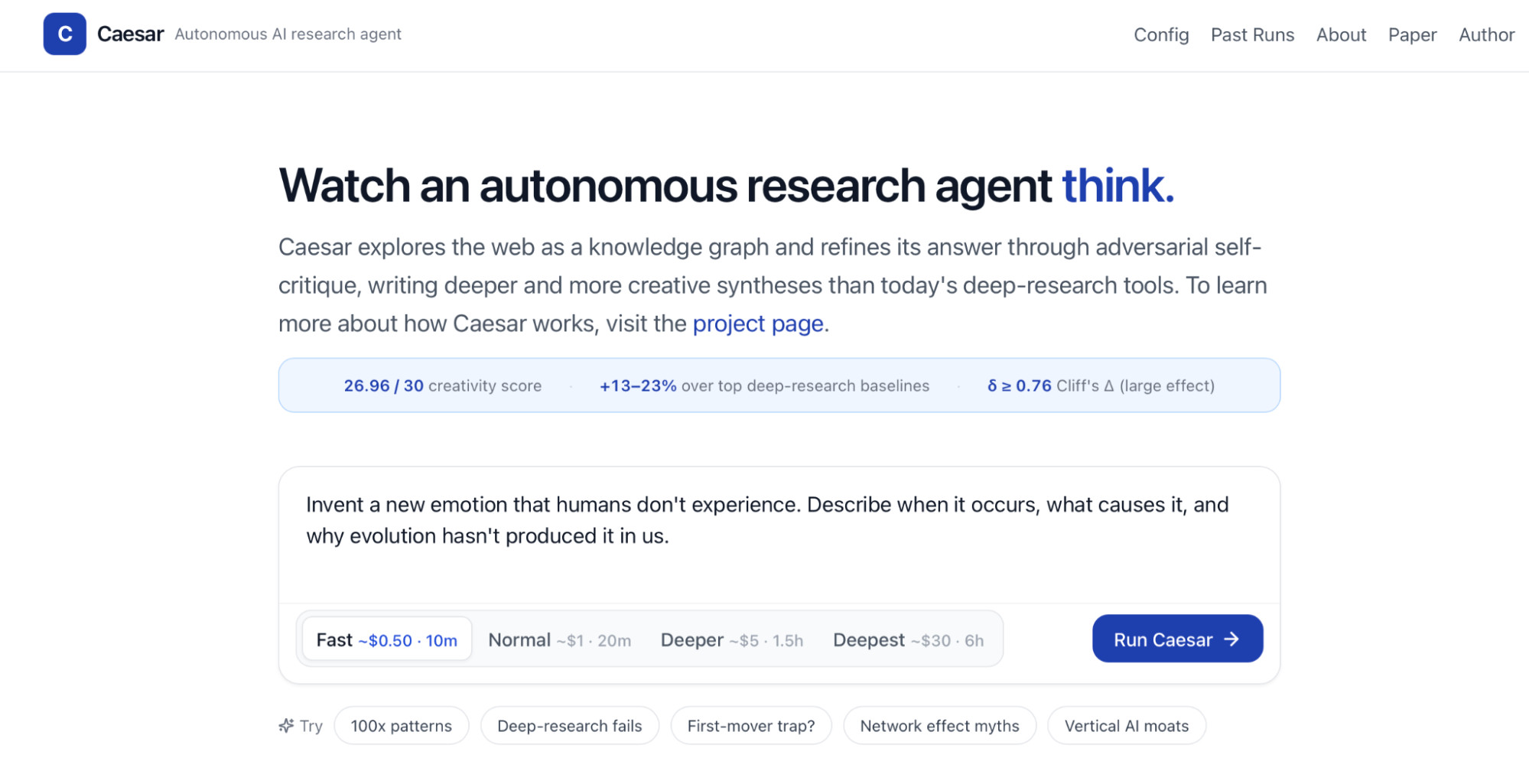
There is no webpage containing the definitive answer to this question. Answering it well requires exploring what emotions are, how they emerge, what evolutionary pressures shape them, and what might plausibly exist outside the emotional repertoire humans currently possess.
That makes it exactly the kind of problem Caesar was built to investigate.
Other questions worth trying include: “If humans had evolved to navigate primarily through echolocation rather than vision, how might cities, art, and mathematics have developed differently?” Or: “What could biology teach us about designing cities that become more resilient as they grow?”
These questions give Caesar room to move across disciplines and find connections that might not emerge from a conventional search.
Step 3: Choose a depth preset
Four options control how long the agent explores and what the run costs: Fast at roughly $0.50 and ten minutes, Normal at about $1 and twenty minutes, Deeper at around $5 and an hour and a half, and Deepest at roughly $30 and six hours. Start with Fast to get a feel for the interface, then move up. The benchmark results came from the longest configuration, so the shorter presets are genuinely a different depth of answer rather than the same answer delivered sooner.
Step 4: Watch the research take shape
Once you start a run, Caesar begins exploring the web.
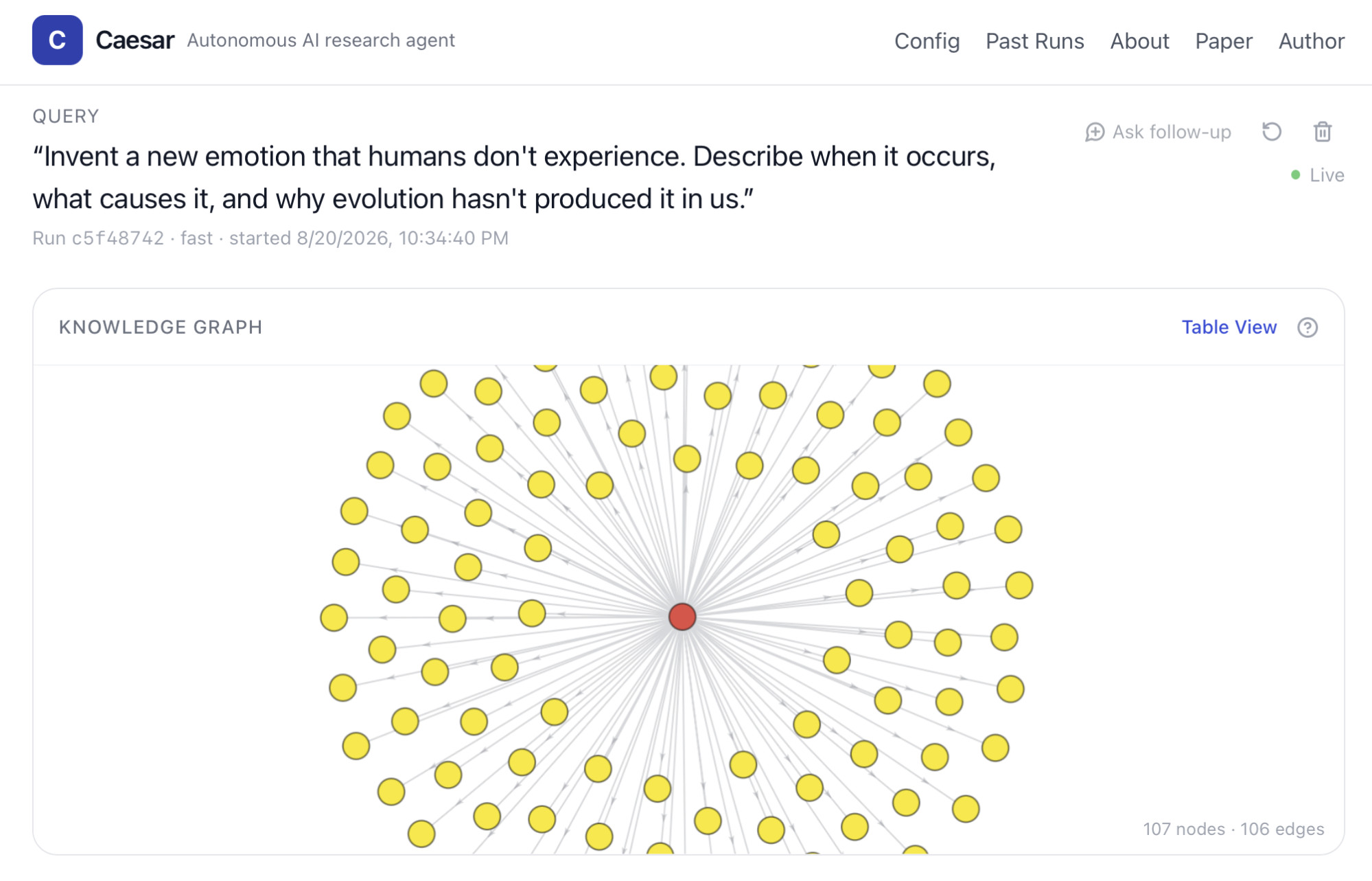
This is where the experience starts to look different from a typical AI research interface. As Caesar visits sources and follows new directions, a knowledge graph develops in real time, giving you a visual representation of how the investigation is expanding. Rather than moving through one fixed list of search results, Caesar can pursue a promising path, discover a connection that suggests another direction, or return to an earlier point and branch somewhere new.
The interface also shows the run progressing through different stages, from exploration into drafting and refinement.
Step 5: Explore the final research artifact
At the end of the run, Caesar brings its exploration and drafts together into a final research artifact.
The result includes the synthesized answer alongside citations that connect its claims back to the sources gathered during exploration. Rather than receiving only the final prose, you can examine the evidence that informed it and the research trail that led there.
For researchers and developers running Caesar themselves, a run can also preserve artifacts including the exploration graph and a JSON run summary, making the process easier to inspect, evaluate, and reproduce.
Step 6: Ask a follow-up
You can build on a finished run two ways. Explore further sends the agent back out to the web with the existing knowledge graph as its starting point, which is slower but genuinely additive. No exploration re-synthesizes from what has already been gathered, which is fast and useful when you want the same material framed differently.
Where deeper exploration can help
Caesar is deliberately not optimized for questions such as “What is the capital of France?” or “Summarize this webpage.” There are much faster tools for those tasks. Its strengths emerge when the question itself requires exploration.
For hypothesis generation, Caesar can investigate concepts across disciplines and look for connections that could suggest new research directions. For literature and landscape research, it can follow multiple threads across a topic rather than reducing the process to a single search-and-summary step.
For strategic research, the same approach can be useful when a question depends on understanding how several technological, economic, or market developments interact. And for counterfactual and creative reasoning, Caesar can investigate the real-world foundations of an unfamiliar premise before attempting to construct something new from them.
The common thread is that these problems do not necessarily have one document – or even one field – that contains the answer. They require navigating a space of ideas.
Why this matters
Much of enterprise AI today is focused on efficiency: automating workflows, finding information faster, and making existing processes easier. But for many of the hardest problems in research, strategy, and innovation, the limiting factor is not speed. It is insight.
Some of the most consequential decisions begin before we know exactly what to search for, which assumptions deserve to be challenged, or what possibilities we may be overlooking. A better research process can change that starting point by giving people a wider set of connections, competing perspectives, and possible directions to investigate.
That could mean helping researchers uncover new hypotheses, giving strategists a broader view of emerging risks and opportunities, or helping product teams draw connections across technologies and industries. The value is not that AI makes the decision. It is that it can help people see more of the problem before they do.
Caesar explores what that role for AI could look like. Rather than simply retrieving what is already known, it is designed to explore a problem space, follow different lines of inquiry, and surface connections that may not have been obvious at the outset.
Making Caesar open source extends that exploration to the broader research and developer community. Researchers and developers can inspect how the process works, test it with different models and configurations, reproduce results, and build on the approach themselves.
There are still fundamental questions about how autonomous AI systems should conduct research, from deciding which paths are worth following to recognizing when an initial conclusion should be challenged. Caesar does not claim to have the final answer. It provides a system the broader community can now use to investigate those questions for itself.

Research scientist who specializes in research of LLMs, neuroevolution, evolutionary algorithms, and applications of neural networks